


Are you tired of manually tracking employee hours on paper? Frustrated with payroll errors that cost your business time and money? Wondering if there’s a better way to manage your team’s attendance without the headache?
If you’re running a small business in Australia, you’re not alone in asking these questions. Managing employee time attendance can feel overwhelming, especially when you’re juggling multiple responsibilities. The good news? Modern employee time clock systems have made tracking work hours simpler than ever. From traditional employee timecard machines to sophisticated clock in apps, there’s a solution for every budget and business size.
In this guide, we’ll walk you through everything you need to know about integrating an employee time clock into your small business system. You’ll discover the different types of workplace time clocks available, learn how to choose the best option for your needs, and get a step-by-step process for implementation. Plus, we’ll cover common challenges and share tips for maximising your investment. Let’s get started!
What Is an Employee Time Clock and How Does It Work?
Traditional Employee Time Recorders vs Modern Time Clock Apps
An employee time clock is simply a system that records when your staff start and finish work. Traditional employee time recorders—think punch cards and mechanical clocks—have been around for over a century. These employee timecard machines required workers to physically insert a card into a device that stamped the time.
Modern solutions have completely transformed time clocking. Today’s employee time clock apps run on smartphones, tablets, and computers. Staff can clock in from anywhere, making them perfect for businesses with remote workers or multiple locations. The shift from hardware to software has made employee time clocks for small businesses more accessible and affordable than ever.
Understanding Time Clocking: The Basics for Small Business Owners
At its core, time clocking captures four essential data points: when employees start work, take breaks, return from breaks, and finish for the day. This information feeds directly into your payroll calculations, saving hours of manual data entry.
A staff time clock works by creating a digital record of each employee clock in event. Most systems require authentication—whether that’s a PIN, fingerprint, or facial recognition—to prevent buddy punching (when one employee clocks in for another). The data syncs automatically with your chosen software, giving you real-time visibility of who’s on site.
What Are the Benefits of Using Employee Time Clocks for Small Businesses?
Accurate Employee Time Attendance Tracking
Manual timesheets are prone to errors. Employees might forget to log their hours, round up their time, or simply make mistakes. An employee time clock system eliminates these issues by automatically capturing exact start and finish times.
This accuracy translates to fairer pay for your team and better cost control for your business. You’ll know precisely how many hours were worked each week, making budgeting and forecasting much simpler.
Streamlined Payroll and Tanda Timesheets Integration
One of the biggest advantages of modern staff time clock software is seamless payroll integration. Platforms like Tanda timesheets connect directly with popular accounting software, automating the entire process from time clocking to payment.
With the Tanda time clock app, employee hours flow automatically into your payroll system. No more re-entering data or reconciling spreadsheets. This integration saves hours each pay period and dramatically reduces the risk of costly errors.
Reducing Time Theft and Buddy Punching
Time theft costs Australian businesses millions each year. Whether it’s arriving late, leaving early, or taking extended breaks, these small increments add up quickly. An attendance clock with proper authentication makes time theft virtually impossible.
Biometric options and photo verification ensure the right person is clocking in. This protects your business and creates a fairer workplace for honest employees who might otherwise feel frustrated watching colleagues game the system.
Types of Workplace Time Clocks: Which One Suits Your Business?
Employee Timecard Machines
Traditional employee timecard machines still have their place, particularly in environments where digital solutions aren’t practical. Manufacturing floors, construction sites, and warehouses often benefit from rugged, standalone devices that don’t rely on internet connectivity.
These machines have evolved too. Modern versions store data digitally and can sync with your software when connected, giving you the best of both worlds.
Staff Time Clock Software and Clock In Apps
Cloud-based staff time clock software offers flexibility that hardware simply can’t match. Your team downloads a clocking in app to their devices, and they’re ready to go. Updates happen automatically, and you can access reports from anywhere.
The beauty of a time clock with app functionality is scalability. Adding new employees takes seconds, and you can adjust settings without purchasing new equipment.
Employee Punch Clock Apps and Mobile Solutions
For businesses with field workers, delivery drivers, or remote staff, an employee punch clock app is essential. These mobile solutions include GPS verification, ensuring employees are where they should be when they clock in.
The Tanda clock in feature, for example, allows managers to set location boundaries. If someone tries to clock in from outside the designated area, the system flags it immediately.
Attendance Clocks and Biometric Options
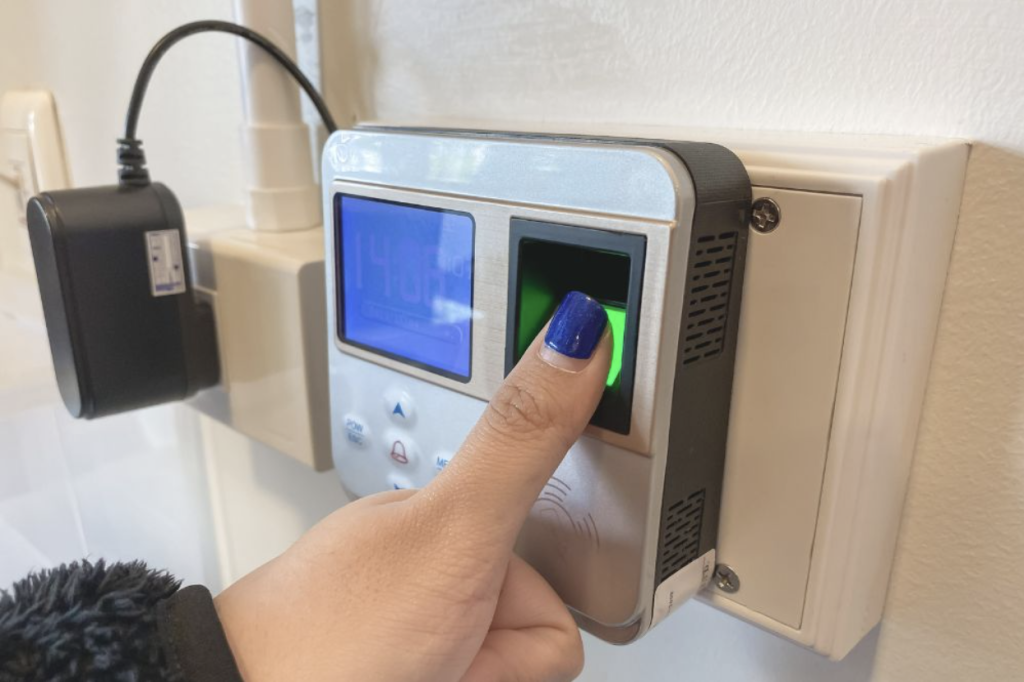
Biometric time and attendance clocks use fingerprints, facial recognition, or even palm scans for authentication. While they cost more upfront, they eliminate buddy punching entirely and speed up the clock-in process.
These systems are becoming increasingly popular in retail and hospitality, where high staff turnover makes PIN-based systems vulnerable to misuse.
How Do I Choose the Best Employee Time Clock for My Small Business?
Key Features to Look for in a Time Clock with App
When evaluating an employee time clock application, prioritise ease of use. If your staff struggle with the system, adoption will suffer. Look for intuitive interfaces and straightforward employee clock in procedures.
Integration capabilities matter too. The best employee time clock connects with your existing payroll and rostering software. Check whether your chosen solution offers API connections or built-in integrations with platforms you already use.
Comparing Staff Time Clock Apps: What Sets Them Apart
Not all staff time clock apps are created equal. Some focus purely on time tracking, while others include rostering, leave management, and compliance features. Consider what additional functionality would benefit your business.
Reporting capabilities vary significantly between providers. The best systems offer customisable reports that help you spot patterns, manage overtime, and make informed decisions about staffing levels.
Budget Considerations for Australian Small Businesses
Employee time clock program pricing typically follows a per-employee, per-month model. Costs range from a few dollars per user for basic solutions to twenty dollars or more for comprehensive platforms.
Consider the total cost of ownership, including hardware, implementation, and training. Sometimes paying slightly more for a user-friendly system saves money in reduced support calls and faster adoption.
Step-by-Step Guide: Integrating an Employee Time Clock System
Assessing Your Current Workforce Management Setup
Before implementing anything new, document your current processes. How do you track hours now? What frustrations do you and your team experience? Which payroll software do you use?
This assessment helps identify must-have features and potential integration challenges. It also gives you a baseline to measure improvements against.
Setting Up Your Employee Time Clock Application
Most modern systems offer straightforward setup wizards. You’ll typically need to add employee details, set pay rates, configure break rules, and establish any location restrictions.
Take time to configure the settings properly from the start. It’s much easier than trying to fix things later when you have weeks of data to consider.
Connecting Your Clocking in App to Payroll Software
Integration is where the real time savings happen. Follow your provider’s documentation to connect your employee time clocking app with your payroll system. Test thoroughly with dummy data before going live.
For Tanda users, the Tanda app download process includes clear integration guides. The Tanda time clock login connects seamlessly with major Australian payroll platforms.
Training Staff on Employee Clock in Procedures
Even the simplest system needs proper training. Schedule brief sessions to walk your team through the new procedures. Cover the basics: how to clock in and out, what to do if they forget, and who to contact for help.
Create a quick-reference guide that employees can access anytime. The more comfortable your team feels, the smoother your transition will be.
Common Challenges When Implementing Workplace Time Clock Systems
Employee Resistance and How to Overcome It
Some staff may view time clocking as micromanagement. Address concerns openly by explaining the benefits: accurate pay, fairer treatment, and simplified processes.
Involve your team in the selection process where possible. When employees feel heard, they’re more likely to embrace change positively.
Technical Integration Issues with Existing Systems
Not every system plays nicely together. Before committing to a workplace time clock, confirm compatibility with your existing software stack.
If issues arise, most providers offer support services. Don’t hesitate to reach out—solving integration problems quickly prevents frustration and data inconsistencies.
Ensuring Compliance with Australian Workplace Laws
Australian workplace laws require accurate record-keeping. Your employee time clock system must capture and store data appropriately. Check that your chosen solution meets Fair Work requirements for record retention and accessibility.
How Do Employee Time Clocking Apps Improve Productivity?
Beyond tracking hours, an employee time clocking app provides insights that drive efficiency. You’ll spot patterns in overtime, identify scheduling gaps, and make data-driven decisions about staffing levels.
Managers spend less time on administration and more time on activities that grow your business. Employees benefit from accurate, timely pay and transparent processes.
Tips for Getting the Most from Your Staff Time Clock Software
Regular System Audits and Updates
Review your settings quarterly. As your business evolves, your time tracking needs may change. Regular audits ensure your system continues meeting your requirements.
Keep software updated to benefit from new features and security improvements. Most cloud-based solutions handle this automatically.
Using Reporting Features for Smarter Rostering
Dig into your reports. The data your employee time clock program captures is incredibly valuable for workforce planning. Analyse trends, compare actual hours against scheduled hours, and optimise your rosters accordingly.
Taking the Next Step with Your Employee Time Clock Program
Integrating an employee time clock into your small business doesn’t have to be complicated. Start by identifying your specific needs, then research options that fit your budget and technical requirements. Choosing the right employee time clocks for small business solution early on can simplify the entire process and set your team up for long-term success. Remember, the best system is one your team will use consistently.
The benefits of accurate time tracking extend far beyond payroll accuracy. You’ll gain valuable insights into workforce productivity, reduce administrative workload, and create a more transparent and fairer workplace for everyone. Modern solutions like the Tanda time clock app make implementation straightforward, even for businesses without dedicated IT resources.
Ready to transform how you manage employee attendance? Take that first step today. Download a few free trials, involve your team in testing, and choose a solution that feels right for your business. Your future self—and your payroll administrator—will thank you!